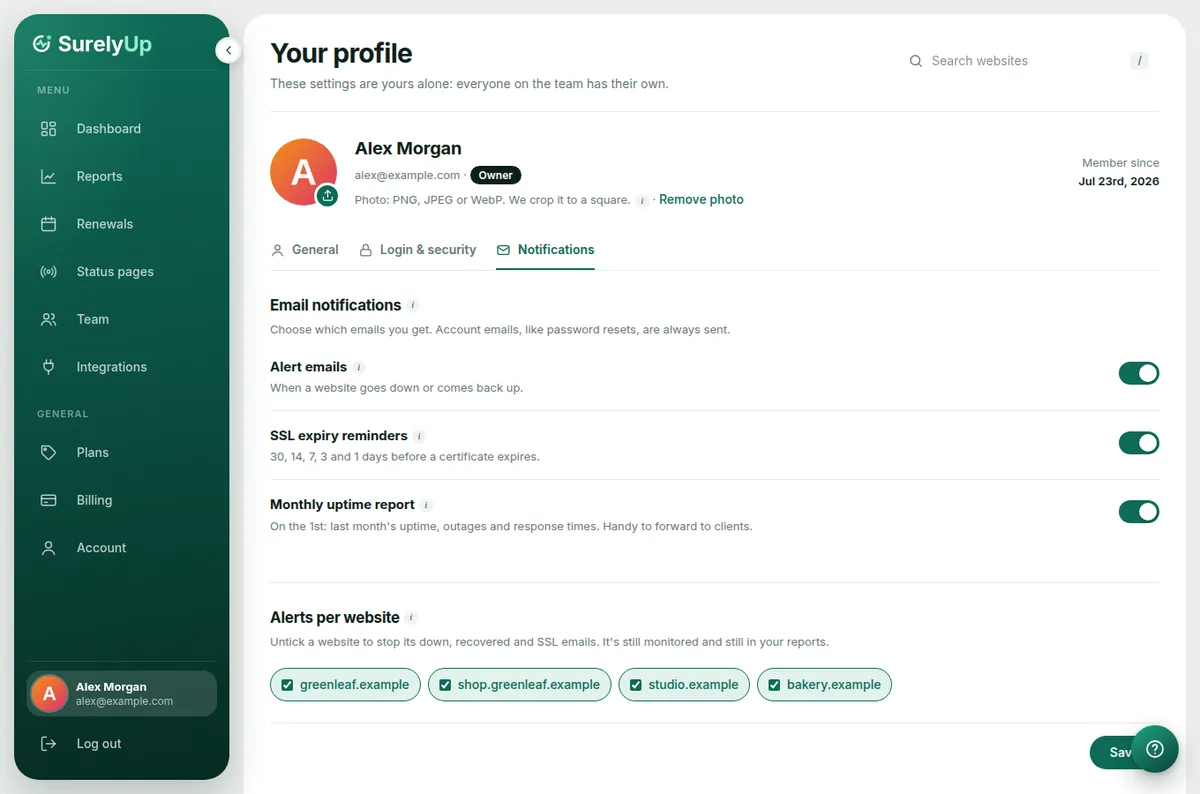
Every person on the account chooses their own emails, so one person can get every alert while a client only gets the monthly report.
The emails we send
- Down: as soon as an outage is confirmed, with what went wrong and a link to Why is it down?
- Recovered: when the website works again, with how long it was down.
- SSL reminders: 30, 14, 7, 3 and 1 day before a certificate expires, and on the day.
- Domain reminders: on the same schedule before a domain expires, and straight away if its nameservers, registrar or status change.
- Monthly report: on the 1st, a summary of last month's uptime, outages and speed.
Change your emails
- Click your name at the bottom of the sidebar.
- Open the Notifications tab.
- Turn each kind of email on or off. To stop alerts for one website only, untick it under Alerts per website.
Alerts in team chat
To get alerts in your own system or a Slack or Discord channel as well, see Webhooks, Slack and Discord.
Tip: Alerts come from [email protected]. Add it to your contacts so they never land in spam.