An expired SSL certificate shows visitors a security warning; an expired domain takes the whole website offline. The Renewals page keeps both in view.
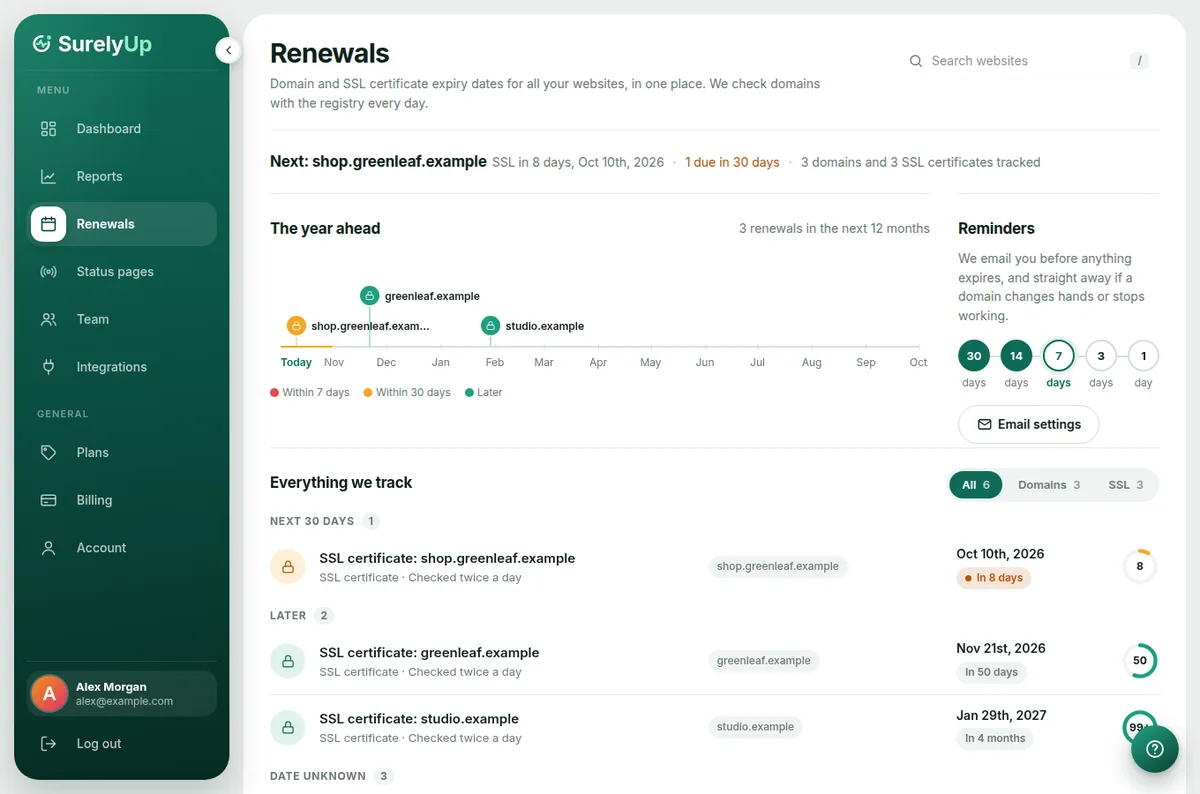
What's on the page
- The line under the heading: the very next thing to renew and how many days are left, how many renewals are due in the next 30 days, and anything already expired.
- The year ahead: every renewal in the next 12 months on a timeline. Hover over a marker to see the dates.
- Reminders: when emails go out, with the next one highlighted.
- Everything we track: grouped into Needs attention, Next 30 days, Later and Date unknown. Use Domains or SSL to show only one kind.
How dates are found
SSL certificates are checked twice a day. Domains are looked up with the registry once a day, which also tells us the registrar and nameservers. If they change unexpectedly, we email you straight away: it can mean someone moved your domain.
A domain says "Date unknown"
Some country registries don't share expiry dates. Log in to your registrar, find the expiry date, then type it into the box next to the domain and click Set expiry date. We'll remind you just the same. Update it after you renew.